_01JMZ4H43P2JR7Z62M1XDT4TBF.png)
Managing or Disconnecting an Integration: Let's Optimize First 🛠️📊
Before you pull the plug on a notification, let’s make sure we aren’t leaving money on the table. At Fomo, we’ve found that many users who consider disconnecting are actually just one small strategic tweak away from a conversion breakthrough.
According to industry benchmarks on marketing automation, the most successful brands don't just "turn things off" they refine them until they win.
🛑 Stop! Have You Checked Your Results?
Before you disconnect, it is vital to know exactly how that integration is performing. Decisions made on "gut feelings" can often lead to a drop in sales that is hard to trace.
Do you want to see the real impact? If you haven't already, you should connect your Google Analytics to Fomo. This allows you to track exactly how many clicks, assisted conversions, and direct sales your notifications are generating.
👉 Why you should connect Google Analytics to Fomo (and how to do it).
If the data shows the integration is underperforming, our Success Team can help you fix it. Usually, a simple change in Notification Frequency or a Page Rule is all it takes to turn a "distraction" into a "conversion magnet." 🧲
✅ When It Makes Sense to Disconnect
While we always advocate for optimization first, there are a few scenarios where disconnecting is the right call:
- Platform Migration: You’ve moved from one service to another (e.g., swapping Mailchimp for Klaviyo).
- Legacy Apps: You are no longer using the third-party software that provides the data.
- Brand Pivot: You are completely changing your business model and the old data is no longer relevant to your new audience.
🛠️ How to Disconnect an Integration
If you have reviewed your data and decided that disconnecting is the best path forward, the process is simple and takes less than 30 seconds:
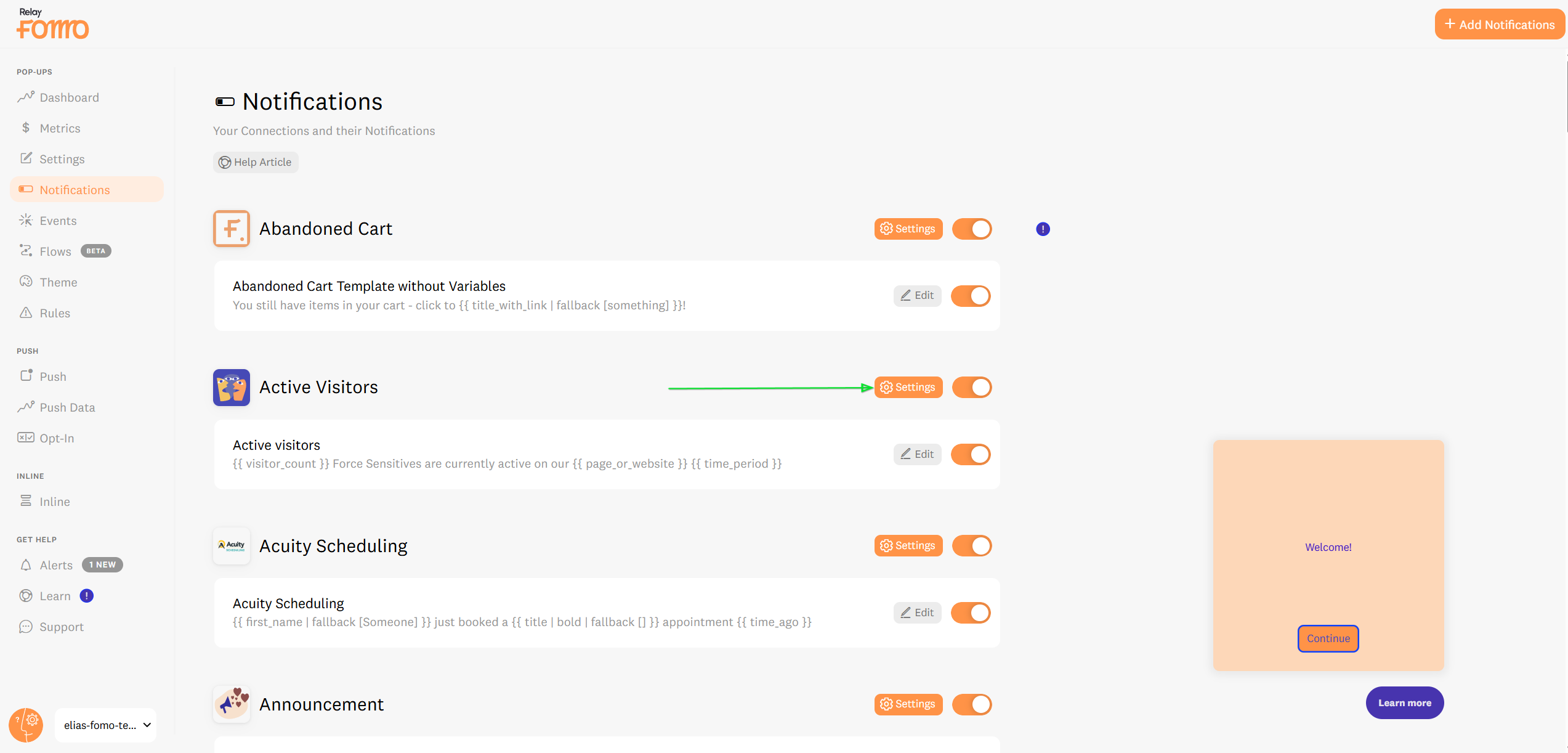
- Navigate to the Notifications tab in your Fomo sidebar.
-
Find Your Notification: Locate the specific integration you wish to remove. You can click directly on the notification title or click the Settings (gear icon ⚙️) button.
-
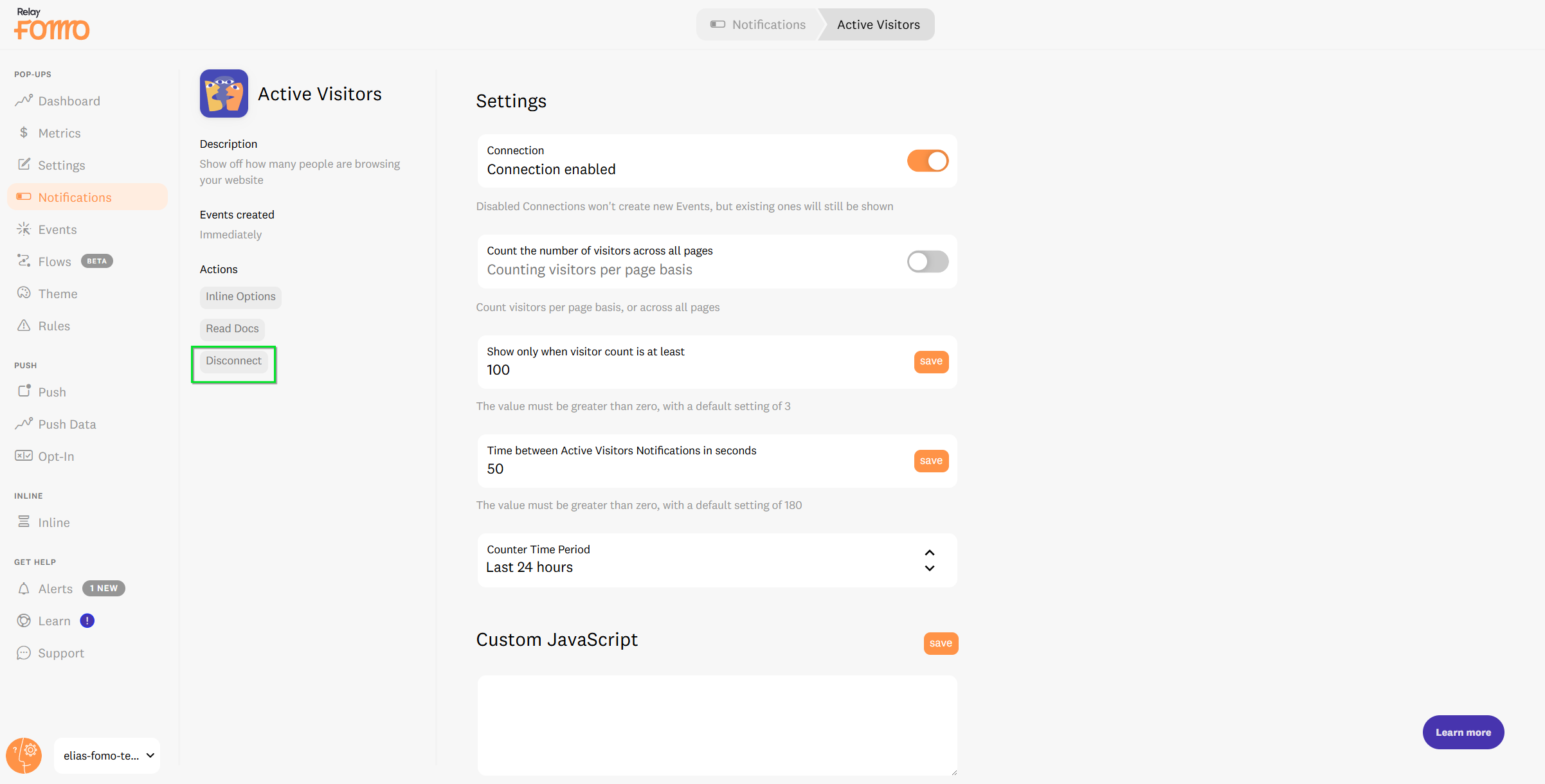
Disconnect: Scroll to the bottom of the settings page and click the Disconnect button. Confirm your choice, and Fomo will immediately stop fetching new data from that source.
Note: If you just want to take a break without losing your settings, try Pausing the template by turning it off instead of a full disconnect! ⏸️
🚀 We’re Here to Help You Scale
Every business has a unique "sweet spot" for social proof. If you are disconnecting because you aren't seeing the ROI you expected, let us help you find it. We are obsessed with your success and we don't want you to lose out on potential growth.
Email us: Reach out hello@fomo.com to and our team will jump in to review your setup.
Work with an Expert: We’ll hop on a call, share screens, and help you build a social proof strategy that fits your brand perfectly. Pick the day and time here.🥳