_01JMZ4H43P2JR7Z62M1XDT4TBF.png)
How to Set a Map as Your Notification Image🗺️
Want to show off exactly where your recent events are happening? You can easily set up Fomo to display a map of the customer's location as the image for your notifications. ✨
📌 Prerequisites: Does your notification capture location?
In order for Fomo to display a map, the notification must capture location data. If the integration does not capture location, you won't be able to use the map image feature.
-
✅ Supported: Sales and conversion notifications that include location data (e.g., Shopify, BigCommerce, WooCommerce, Stripe, Zapier, Custom Webhooks, etc.).
-
❌ Not Supported: Someone is viewing, Live Visitors, Roundups, etc.
🛠️ Step-by-Step Setup
1. Log in to your Fomo Dashboard and click on the Notifications tab.
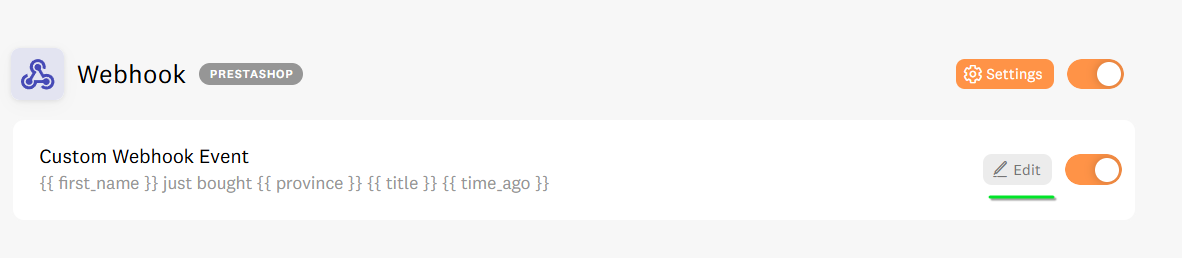
2. Locate the notification you want to change, and click on it (or click the Edit 📝 button next to it).
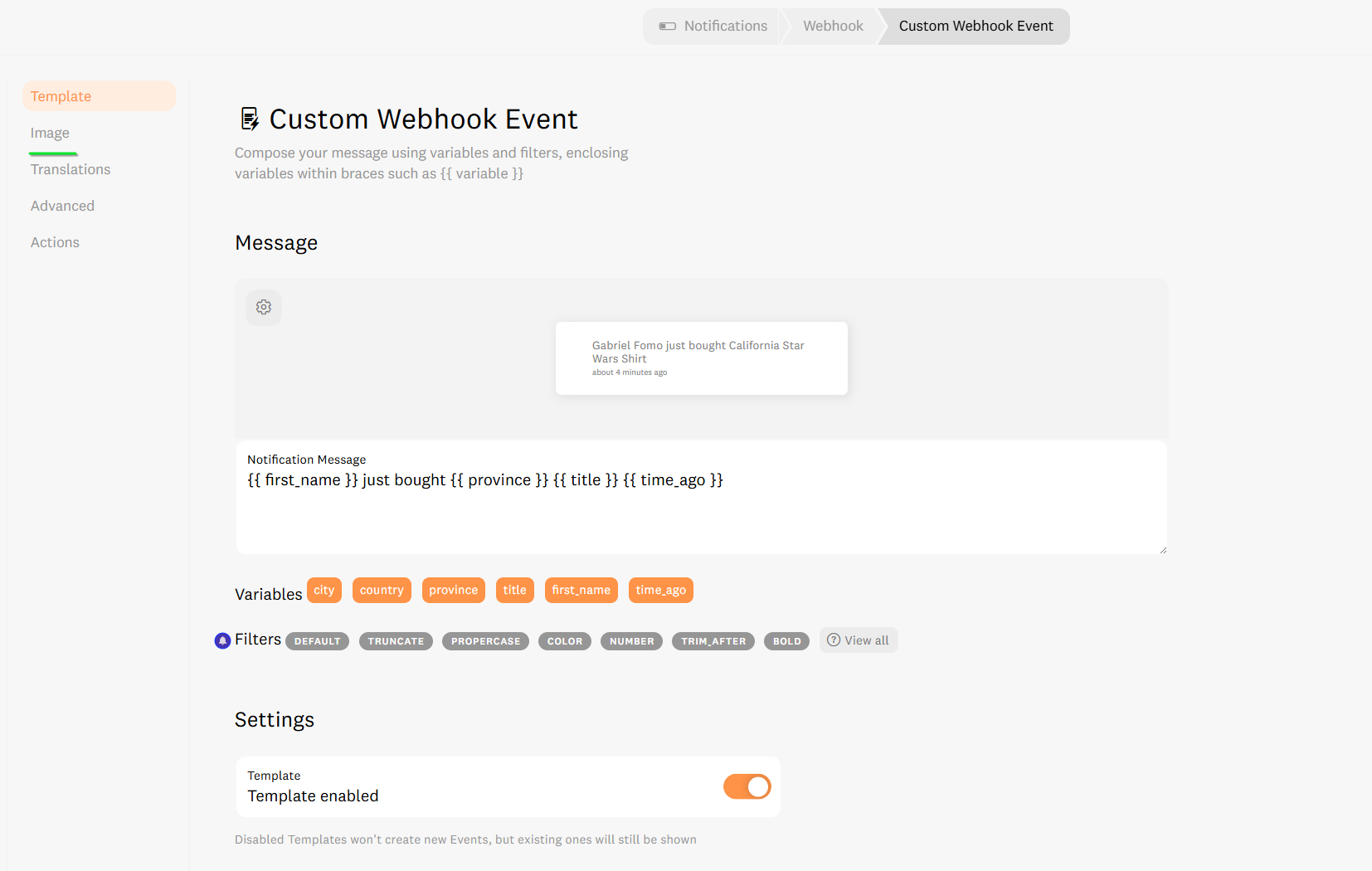
3. Once inside the notification editor, select the Image 🖼️ tab.
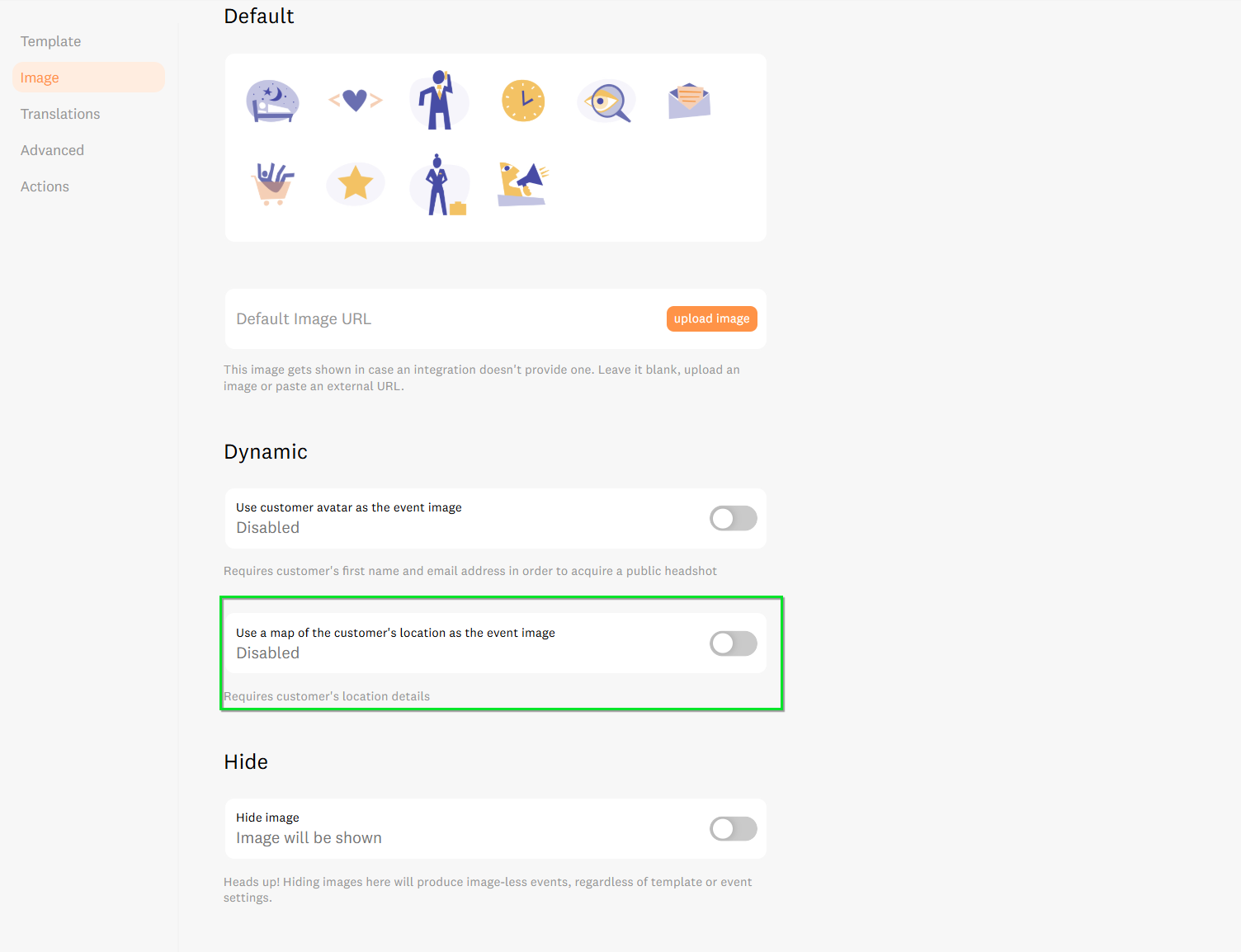
4. Scroll down the page until you reach the Dynamic section. Here you will see a couple of options:
Use customer avatar as the event image (Requires customer's first name and email address in order to acquire a public headshot)
- Use a map of the customer's location as the event image (Requires customer's location details)
5. Toggle ON the option for "Use a map of the customer's location as the event image" 🗺️.
6. Click Save 💾 in the top right corner of your screen.
Once this is done, Fomo will automatically generate and display a map image for all new events created by this notification! 🎉
🚀 We’re Here to Help You Scale
Every Wordpress store has a unique "sweet spot" for social proof. If you aren't sure how to optimize your frequency or message to drive the highest conversions, we've got your back.
-
Email us: Reach out to hello@fomo.com and our team will jump in.
- Work with an Expert: We’ll hop on a call, share screens, and help you build a social proof strategy that fits your brand perfectly. Pick the day and time here.🥳🥳