_01JMZ4H43P2JR7Z62M1XDT4TBF.png)
This data is Verified badge ☑️
At Fomo, we believe that honesty is the ultimate marketing tool. When store visitors see a Fomo notification, we want them to know with absolute certainty that a real person took a real action.
To uphold this standard, many Fomo notifications feature a subtle "This data is verified" badge at the bottom. This article explains what the badge means, how it protects your brand, and how its technical click-behavior works.
What is the "This Data Is Verified" Badge?
The verification badge is a stamp of authenticity. In an online landscape flooded with custom-coded fake pop-ups and AI-generated dummy data designed to trick consumers, Fomo stands strictly for factual, real-world data.

Our Compromise to Data Integrity and Privacy
This badge is backed by Fomo's long-standing history as a pioneer in social proof. We do not tolerate fabricated notifications. Our commitment to data integrity means:
-
True Integrity: Every notification is backed by an actual event whether it's a real purchase, a genuine review, or an active registration.
- Strict Privacy Compliance: Your data and your customers' data are handled with the highest level of security. We strictly adhere to robust data protection frameworks, fully aligned with our and , ensuring full GDPR and privacy compliance.
How the Badge Works (Click Behavior)
Depending on how a notification is delivered to your storefront, the verification badge behaves in one of two ways:
1. Regular (Cached) Notifications = Clickable
Most notifications are securely cached and sequenced to showcase recent store activity. When a visitor clicks the "This data is verified" badge on a regular notification, they are redirected to a public, transparent Fomo verification page (e.g., [fomo.com/event/](https://fomo.com/event/)[unique-event-id] ).
2. Live Notifications = Non-Clickable
Live notifications are generated and updated instantly in real time (for example, live visitors, someone is viewing). Because these events are happening dynamically and are not pulled from a static cache, the badge is not clickable and will not take the user anywhere.
Anatomy of the Verification Page
When a visitor clicks a clickable badge, they land on a dedicated transparency page. This page serves as an independent ledger proving the event is real, while completely masking sensitive customer information.

On this page, transparent details are displayed openly to build deep consumer trust:
- The Original Notification Text: (e.g., "37 people bought Star Wars products in the last 24 hours")
- Unique Event ID: A tracking number (e.g.,
#914978682) verifying the specific record in our database. - The Integration Source: Confirms exactly which application fed the data to Fomo (e.g., Shopify, Google Analytics, Mailchimp).
- Exact Timestamp: The exact date, time, and timezone the event was captured.
-
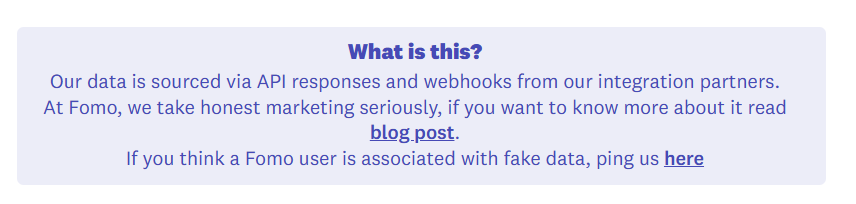
Accountability Reporting: A dedicated link allowing consumers to message us directly if they ever suspect a storefront is attempting to abuse Fomo with fake data.
Can I Remove the Verification Badge?
Yes. While we highly recommend keeping the badge active to maximize shopper trust and validate your store's authority, we understand that certain brand aesthetics require a totally blank canvas.
If you would like to remove or hide the verification badge from your store's notifications, simply reach out to our team. We will gladly adjust this setting for you behind the scenes.
-
Email us: hello@fomo.com
- In-App: Open the chat bubble in your Fomo dashboard to message a live support agent or Pick the day and time and we can video-meet!