_01JMZ4H43P2JR7Z62M1XDT4TBF.png)
Localized Social Proof: Skyrocket Conversions with Geo-targeting 📍
In marketing, relevance is the ultimate currency. While standard social proof is great, Localized Social Proof is unstoppable.
Studies show that 61% of shoppers are more likely to buy from a site when the content is customized to their location. Geo-targeting allows Fomo to act as a "local neighbor," showing your visitors that people in their own city or state are choosing your brand right now.
The CRO Advantage: Why "Local" Converts
- The Trust Shortcut: We instinctively trust people who live near us more than strangers halfway across the world.
- Reduced "Distance" Anxiety: Seeing a local purchase proves that your shipping works, your brand is active in their area, and your product is "trending" in their community.
- Higher Intent: Localized notifications create a "Busy Store" feeling that feels personal, not generic.
How It Works: The "Social Proximity" Logic
Fomo identifies your visitor’s location in real-time and filters your sales data to match.
- The NYC Example: If a visitor lands on your site from New York City, Fomo will prioritize showing them other New Yorkers who have recently purchased.
- The London Example: A visitor in London will see activity from the UK, creating an immediate sense of familiarity and community.

Step 1: Activate the Local Buzz ⚡️
Activating this is simple, but the impact on your conversion rate can be massive.
-
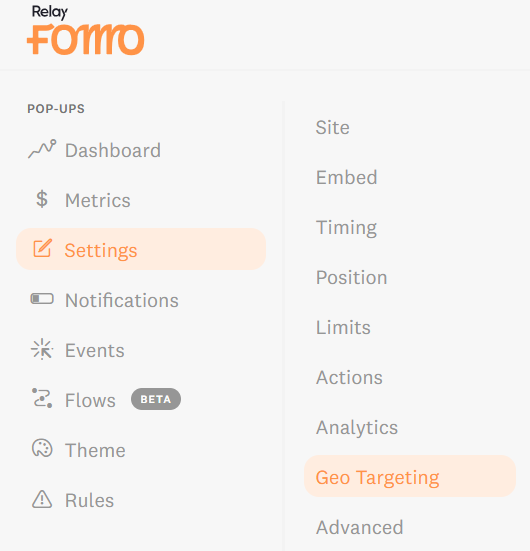
Log into Fomo and navigate to Settings > Geo Targeting.
-
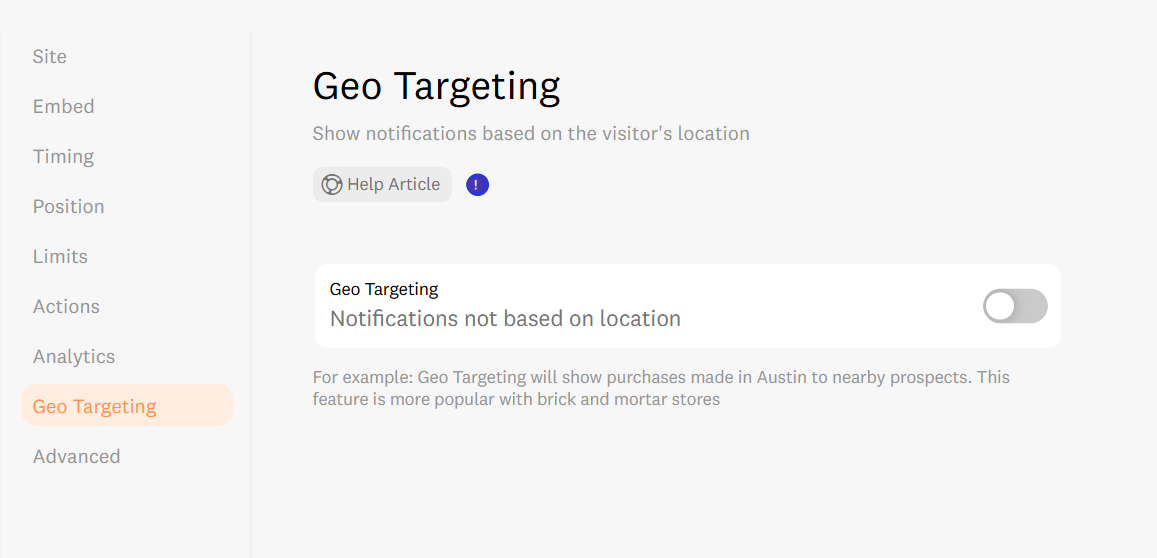
Toggle on "Use geo-targeting for events."
-
Click the Save button.
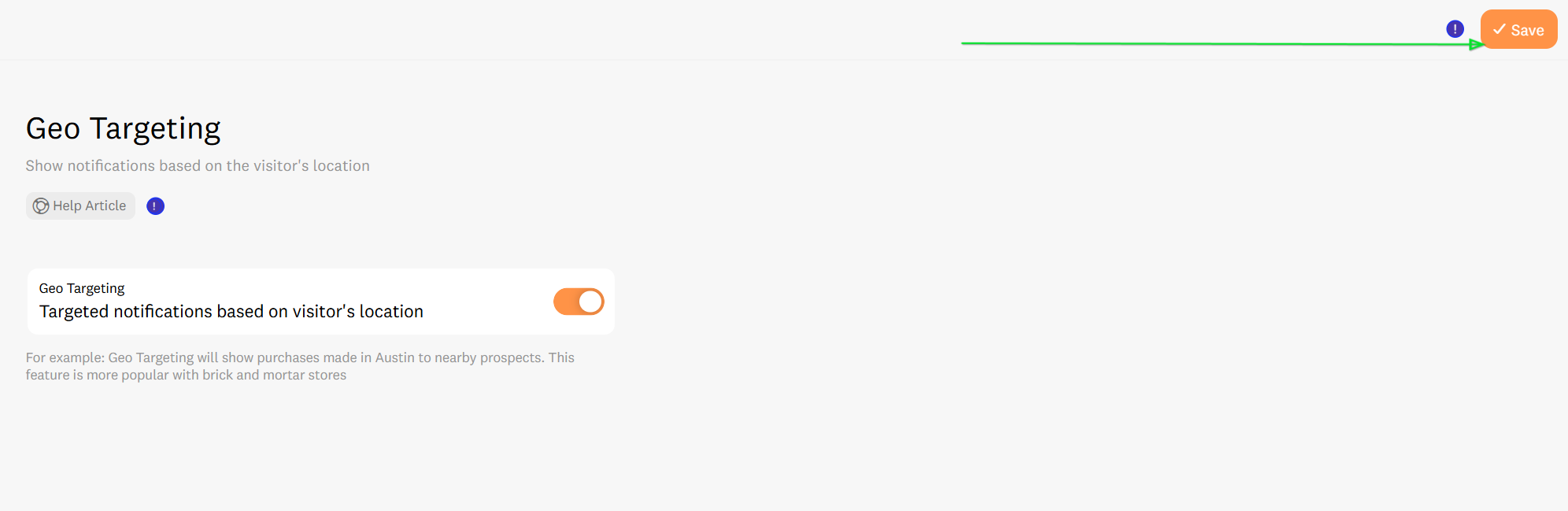
From this moment on, Fomo will begin prioritizing "nearby" events for every visitor who lands on your store.
Our geocoding feature pings geocode.fomo.com to determine visitor location. Then, we show off the notifications with location data closest to the visitor's location.
Step 2: The Data Audit & IP Extraction Magic 🪄
Not every integration sends location data automatically. Before you assume geo-targeting won't work for you, perform this quick Data Audit to see if you can unlock "IP Extraction."
How to check your data:
-
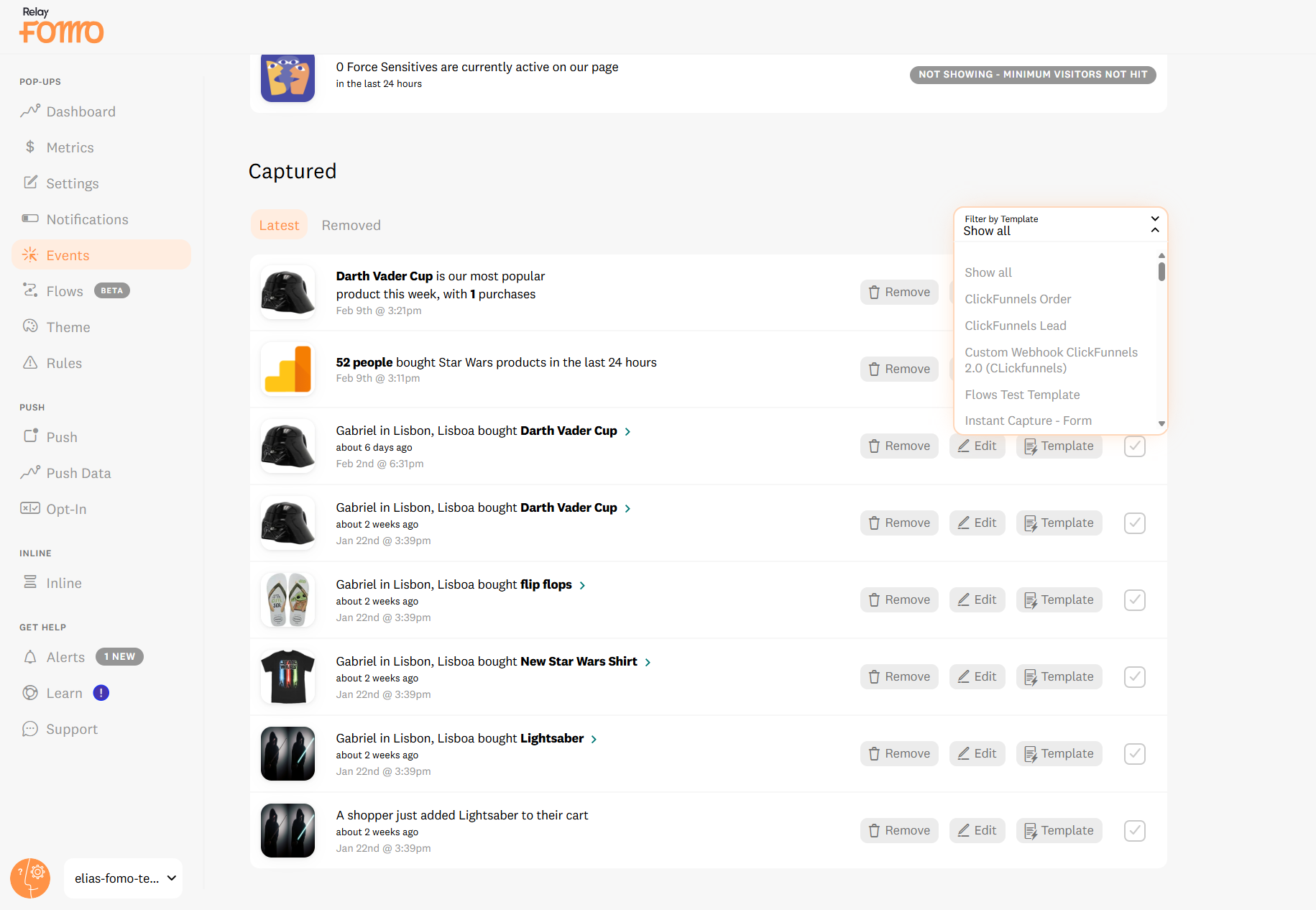
Go to Events in your Fomo dashboard.
-
Use the Filter by Template dropdown to select the integration you want to check (e.g., Shopify, Mailchimp).
-
Hover over a recent Event and click "Edit."

Look for the values:

-
Scenario A: You see values for City, State, and Country. You are ready! Geo-targeting will work perfectly.

-
Scenario B: The location fields are empty, but you see a value for IP Address. This is your "spicy" opportunity! You can extract the location yourself.
-
Scenario C: Both location and IP address are empty. Geo-targeting is not available for this specific data source.
How to activate IP Extraction (Scenario B):
If your integration provides an IP but no city/state, follow these steps to bridge the gap:
-
Go to Notifications and click into the Template you just audited.
-
Click the Advanced tab.
-
Toggle on "Extract location data from event IP addresses."

The Result: Going forward, Fomo will "sniff out" the city and state from the IP address for every new event. You’ve just turned basic data into high-converting local proof.
Step 3: Smart Fallback Logic 🛡️
You never have to worry about a "blank" notification. Fomo uses a high-converting fallback system:
-
Priority 1: Matches the visitor’s City.
-
Priority 2: If no city match, it shows their State/Region.
-
Priority 3: If no state match, it shows their Country.
- Global Fallback: If they are in a brand-new territory, Fomo shows your most recent global activity. Your store always looks busy.
Which integrations work with Geo-targeting? 🔌
Most Fomo integrations are ready to go. Here is an alphabetical list of integrations that provide the location data required for Geo-targeting:
- ActiveCampaign
- AWeber
- BigCommerce
- ClickFunnels
- ConvertKit
- Drip
- Eventbrite
- HubSpot
- Infusionsoft
- Instapage
- Intercom
- Mailchimp
- PayPal
- Privy
- Recurly
- SamCart
- Shopify
- Stripe
- ThriveCart
- WooCommerce
-
Zapier
(Don't see yours? Enable the "IP Extraction" in Step 2 to bridge the gap!)
🚀 We’re Here to Help You Scale
Localized marketing is the fastest way to build immediate trust. If you aren't sure if your specific setup is capturing location data correctly, reach out to us.
-
Email us: hello@fomo.com we’re here to help.
- Get a Setup Audit: . We’ll jump on a call, share screens, and make sure your geo-targeting is primed for maximum conversions.Pick the day and time here.